


Broadband speeds explained – no jargon!
Home / Blog / Broadband speeds / Broadband speeds explained – no jargon!Reading time: 6 minutes
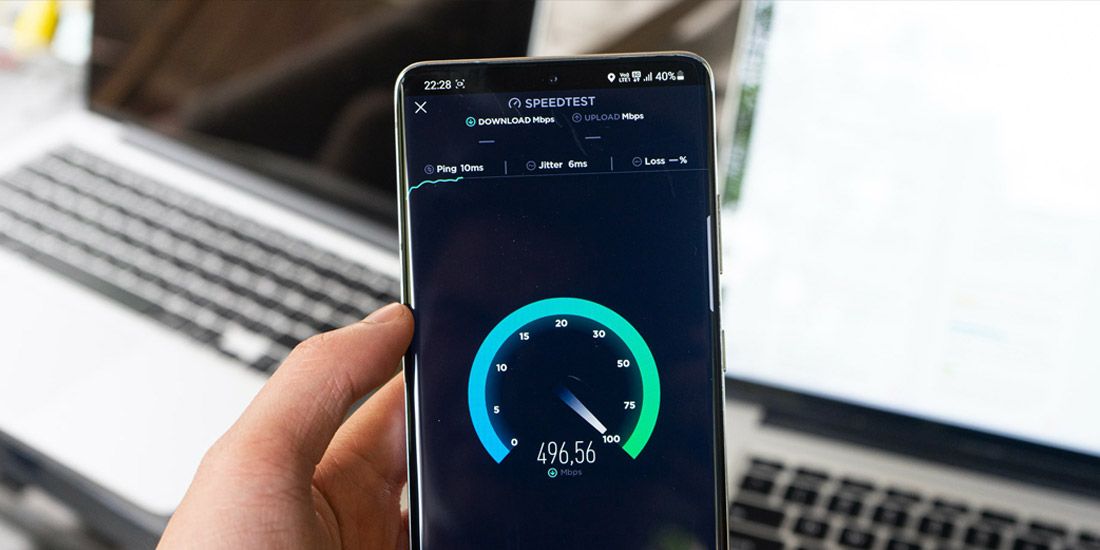
In this guide, we’ll delve deep into the intricacies of broadband speeds, offering insights and solutions to ensure you get the best out of your internet connection.
How are broadband speeds measured?
Broadband speeds are typically measured in ‘megabits per second’, often abbreviated as Mbps. This metric indicates how much data can be transferred over an internet connection in one second.
The higher the Mbps, the faster the internet speed.
But what does this mean in practical terms?
- Web Browsing and Social Media: For basic activities like browsing websites or scrolling through social media, speeds of 1-10 Mbps are usually sufficient.
- Streaming: If you’re into streaming movies or music, you’d need speeds ranging from 3-4 Mbps for standard definition, 5-8 Mbps for high definition, and upwards of 25 Mbps for Ultra HD 4K content.
- Gaming: Online gamers would ideally require between 4-8 Mbps, with hardcore gamers benefiting from 10-25 Mbps to ensure a lag-free experience.
- Working from Home: With the rise of remote work, video conferencing and large file transfers might necessitate speeds of at least 40 Mbps.

What average download speeds and upload speed can you get with Airband?
Here’s a table to help you see which wireless and fibre broadband package will give you which average download speed and upload speed.
| Download Speeds | Upload Speeds | ||||
|---|---|---|---|---|---|
| Product | Advertised Speed* | Expected Speed Range** | Minimum Guaranteed Download Speed | Advertised Speed* | Expected Speed Range** |
| Broadband Unlimited | 40Mbps | 30-40Mbps | 20Mbps | 10Mbps | 5-10Mbps |
| Fibre 40 | 40Mbps | 30-40Mbps | 20Mbps | 10Mbps | 5-10Mbps |
| 40Mbps | 30-40Mbps | ||||
| Fibre 80 | 80Mbps | 40-80Mbps | 40Mbps | 20Mbps | 10-20Mbps |
| Fibre 150 | 150Mbps | 100-150Mbps | 75Mbps | 50Mbps | 40-50Mbps |
| 150Mbps | 100-150Mbps | ||||
| Fibre 160 | 160Mbps | 112-160Mbps | 80Mbps | 30Mbps | 21-30Mbps |
| Fibre 300 | 300Mbps | 225-300Mbps | 150Mbps | 75Mbps | 65-75Mbps |
| 300Mbps | 225-300Mbps | ||||
| Fibre 330 | 330Mbps | 247-330Mbps | 165Mbps | 50Mbps | 37-50Mbps |
| Fibre 550 | 550Mbps | 412-550Mbps | 275Mbps | 75Mbps | 56-75Mbps |
| Fibre 600 | 600Mbps | 500-600Mbps | 300Mbps | 100Mbps | 75-100Mbps |
| 600Mbps | 500-600Mbps | ||||
| Fibre 900 | 900Mbps | 750-900Mbps | 450Mbps | 200Mbps | 150-200Mbps |
| 900Mbps | 750-900Mbps | ||||
| Fibre 1000 | 1Gbps (1000Mbps) | 700-1000Mbps | 500Mbps | 115Mbps | 80-115Mbps |
| Fibre Switch | 80Mbps | 10-80Mbps | 40Mbps | 20Mbps | 5-20Mbps |
| Airspeed 40 | 40Mbps | 20-40Mbps | 20Mbps | 10Mbps | 5-10Mbps |
| Airspeed 100 | 100Mbps | 60-100Mbps | 50Mbps | 20Mbps | 10-20Mbps |
| Airspeed 150 | 150Mbps | 100-150Mbps | 75Mbps | 30Mbps | 20-30Mbps |
| Airspeed 400 | 400Mbps | 325-400Mbps | 200Mbps | 75Mbps | 65-75Mbps |
| Airspeed 600 | 600Mbps | 500-600Mbps | 300Mbps | 150Mbps | 100-150Mbps |
| Airspeed 1000 | 1Gbps (1000Mbps) | 800-1000Mbps | 500Mbps | 200Mbps | 100-200Mbps |
| Airband 4G | 40Mbps | 20-40Mbps | 20Mbps | 20Mbps | 15-20Mbps |
| Biz 150 | 150Mbps | 100-150Mbps | 75Mbps | 50Mbps | 40-50Mbps |
| Ultimate Fibre 150 | 150Mbps | 100-150Mbps | 75Mbps | 150Mbps | 100-150Mbps |
| Ultimate Fibre 300 | 300Mbps | 225-300Mbps | 150Mbps | 300Mbps | 225-300Mbps |
| Ultimate Fibre 600 | 600Mbps | 500-600Mbps | 300Mbps | 600Mbps | 500-600Mbps |
| Ultimate Fibre 900 | 900Mbps | 750-900Mbps | 450Mbps | 900Mbps | 750-900Mbps |
| Biz Fibre 150 | 150Mbps | 100-150Mbps | 75Mbps | 50Mbps | 40-50Mbps |
| Biz Fibre 300 | 300Mbps | 225-300Mbps | 150Mbps | 100Mbps | 75-100Mbps |
| Business Unlimited 50 | 50Mbps | 40-50Mbps | 25Mbps | 20Mbps | 10-20Mbps |
* The advertised download and upload speeds for our packages are calculated by taking the median average, or the mid-point between the fastest and slowest speeds for each package at peak times (8-10pm), each month. This is in line with the Advertising Standards Authority’s (ASA) guidance.
** The expected speed range is the normal download and upload speed that you could expect at peak times (8-10pm, Monday-Sunday). This is in line with Ofcom’s guidance.
Airband’s average broadband speeds explained
The download and upload speeds for our broadband packages are average speeds. We calculate these by taking the mid-point between the fastest and slowest speeds for each package at peak times (8-10pm), as recommended by the Advertising Standards Authority (ASA) and in line with Ofcom’s guidance. As our advertised speeds are average speeds they are not guaranteed.
Airband’s normally available speeds
The data for our advertised and normally available speeds comes from a broadband measurement panel made up of our real customers spread out across our network. We run hundreds of tests each month to make sure we are delivering the best possible speeds for all our customers.
What can affect broadband speed?
The actual broadband speed you experience can be lower than estimated. Broadband speeds may be affected by things we can’t control, such as:
- Type of Connection: The kind of broadband connection you have plays a significant role. For instance, fibre broadband (FTTP) offers faster speeds compared to traditional copper lines because it uses fibre optic cables.
- Number of Users: The more devices connected to a single network, the slower the speed might become, especially during peak times.
- Router Placement: The location of your router in your home can affect signal strength and, consequently, speed. Centralized placement, away from obstructions, can help.
- External Interferences: Other electronic devices, walls, and even neighbouring Wi-Fi networks can interfere with your connection.
Many things affect the processing speed of your device – these include the software you run (for example, if you run too many apps that need to connect to the internet, things will naturally go slower). Viruses also make a device slower.
Are download speeds and upload speeds the same thing?
No, download and upload speeds are not the same thing.
Download speed is how fast data is transferred from the internet to your device. It determines how quickly you can access or retrieve information from the internet, such as loading web pages, streaming videos, or downloading files.
Upload speed is how fast data is transferred from your device to the internet. It’s crucial for activities where you’re sending information out, such as uploading videos or photos, conducting video calls, or playing online games where your actions need to be communicated to a server.
Typically, download speeds are typically much higher than upload speeds because most users tend to consume content (download) more than they produce or send it (upload).
So, what’s a good internet speed? For a more detailed breakdown of what different activities require in terms of speed, check out our guide on what is a good upload and download speed.
How to get a better fibre broadband speed
To ensure you’re getting the most out of your broadband connection, consider the following tips:
1. Upgrade to fibre optic broadband
If you consistently experience slow speeds, it might be time to upgrade to a faster plan with a different broadband provider, especially if your household has multiple users and devices.
2. Optimise Router Placement
Place your router in a central location, elevated from the floor, and away from obstructions for the best broadband connection.
3. Limit Background Activities
Ensure no background apps or devices are hogging the bandwidth, especially during critical tasks. Otherwise this can affect your broadband speed.
Can you do a broadband speed test to check your current broadband speed?
Yes, you can use our broadband speed test to check what connection speed you’re on at the moment. It’s definitely worth getting an average speed though, so we suggest running the test a few times.
In the meantime, you might like to find out about Airband Talk which uses VoIP, and you might find these helpful.
- What is fibre broadband?
- Fibre broadband vs satellite
- Do you need a phone line to get broadband?
- What is VoiP broadband and can I get it?
Related Articles
Check availability: